Your Guide to Home Inventory Management Software
Discover how home inventory management software simplifies insurance claims and asset tracking. Learn to choose the right app and organize your life.
Let’s be honest. If a pipe burst or a fire broke out in your home tomorrow, could you list every single valuable item you own from memory? For almost everyone, that’s an impossible—and incredibly stressful—thought. This is exactly why home inventory management software has become a modern necessity, not just a nice-to-have.
Why a Home Inventory Is Your Financial Safety Net
Most people hear "home inventory" and think of a massive decluttering project or a prelude to moving. And while it’s great for organization, its real power is much deeper. Think of it less as a chore and more as a personal asset protection plan—a digital vault for everything you’ve worked so hard to acquire.
Without a detailed record, you’re at a huge disadvantage when filing an insurance claim. A vague memory of "a TV and some nice dishes" won't cut it. An accurate, documented list is your best defense, turning hazy recollections into a concrete, undeniable record that serves as proof of ownership and value. It’s what ensures you get a fair settlement, and fast.
More Than Just Insurance
The benefits of a solid home inventory go far beyond disaster prep. It brings much-needed clarity to major life events that are often emotionally complicated. A comprehensive list is invaluable for:
- Estate Planning: It gives your executor and heirs a clear, unambiguous record of your assets, which helps prevent disputes and makes settling your estate much simpler.
- Downsizing or Moving: You can easily tag every item to decide what to keep, sell, donate, or put in storage. This makes planning a move or organizing an estate sale remarkably efficient.
- Financial Planning: When you know the total value of your personal property, you can better assess your net worth and make sure your insurance coverage is actually adequate.
In short, home inventory management software acts as a central command center for all your physical possessions. It replaces scattered receipts and fuzzy memories with a searchable, secure, and easily shareable digital record.
A detailed home inventory can speed up insurance claim payments by 50% or more. It eliminates the guesswork and gives adjusters exactly what they need to process your claim without delays.
This isn’t just about making a list of your stuff. It’s about taking control of your financial well-being and building a foundation of security that protects you from the unexpected and simplifies life's biggest transitions.
How Home Inventory Software Really Works
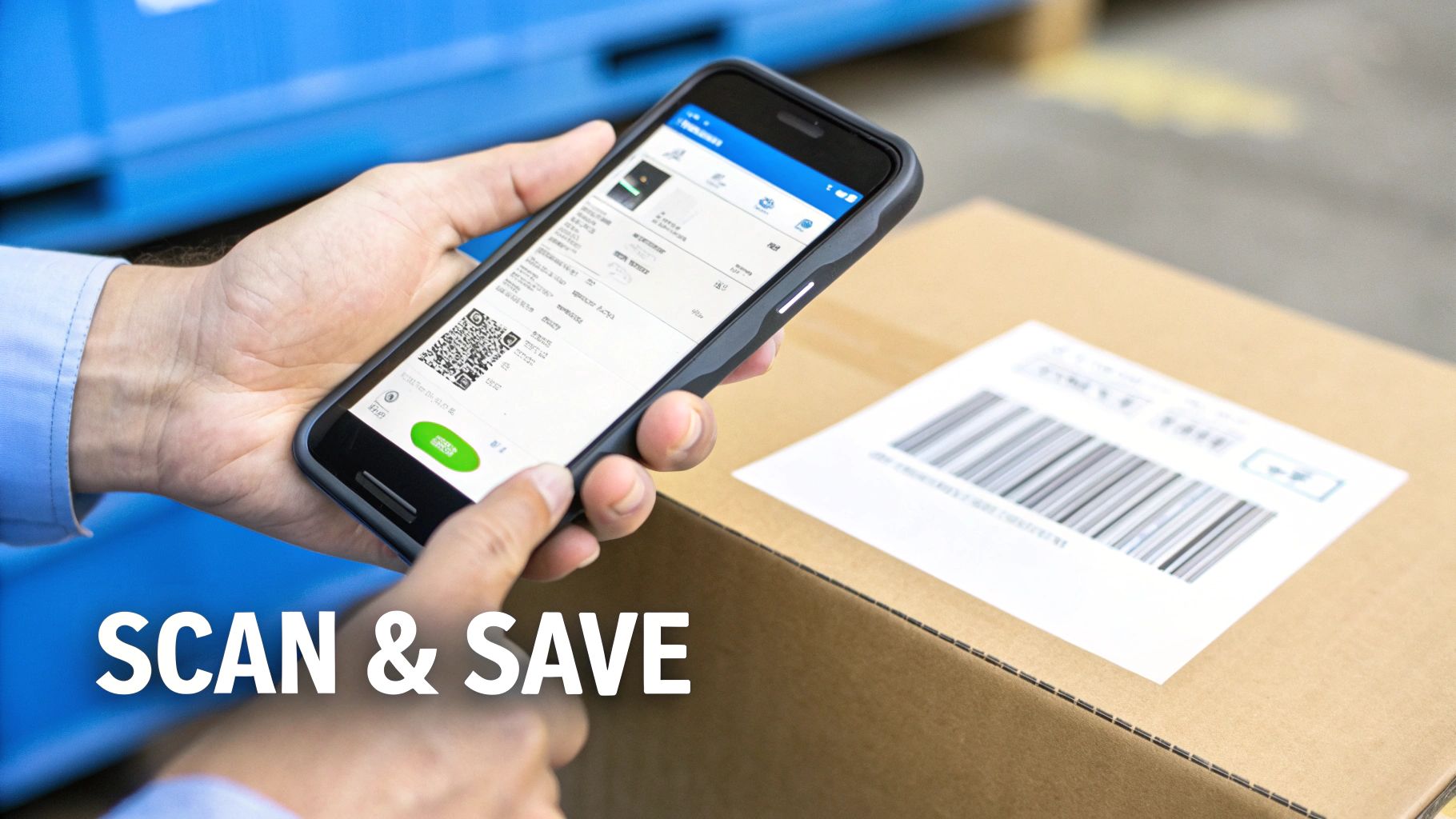
At its heart, home inventory management software creates a digital catalog of your physical world. It takes everything you own—from the living room sofa and the kitchen appliances to antique jewelry and family heirlooms—and organizes it into a neat, searchable database.
Think of it less like a spreadsheet and more like a private, digital encyclopedia of your stuff. Instead of digging through a mountain of paperwork for a single receipt, you have a complete record at your fingertips. This file holds the proof of what an item is and what it’s worth, making it a game-changer for insurance claims and estate planning.
From Physical Item to Digital Record
The real power of this software is how it pulls together scattered information into one central, easy-to-access place. You don't need to be a tech wizard; the best apps are built for everyday people.
Creating a new entry is usually a quick, three-step dance:
- Snap a Few Photos: Take clear pictures of the item from a couple of different angles. For an insurance adjuster, photos are often the most convincing proof you can offer.
- Add Key Details: Plug in the basic info—what it is, the brand, model number, and where you bought it.
- Attach Your Documents: Upload digital copies of receipts, warranties, or appraisals. Just taking a quick picture of a paper receipt with your phone usually does the trick.
That’s it. In just a few minutes, you’ve created a powerful, comprehensive record that serves as undeniable proof of ownership for insurance, a clear guide for your estate, and a practical tool for managing what you own.
The Tech That Makes It Simple
Modern home inventory management software is packed with smart tech to make this whole process a breeze. Many apps let you scan an item's barcode right with your phone’s camera, which then automatically fills in details like the brand and product name. This one feature is a massive time-saver for electronics, tools, and just about anything else you’d buy at a store.
The goal is to create a single source of truth for your belongings. When everything from the purchase date to the serial number is in one place, you eliminate the stress and guesswork that comes with managing your assets, especially during a crisis.
Some of the more advanced tools even use technology like intelligent document processing (IDP). This clever tech can actually "read" the documents you upload, automatically pulling out key info like the purchase price, date, and store name directly from a receipt photo. It minimizes the typing you have to do and cuts down on errors.
It's no surprise that this technology is catching on. The home inventory apps market, recently valued at around USD 1.2 billion, is expected to soar to nearly USD 4.8 billion by 2032. This isn’t just a fad; it’s a reflection of more homeowners understanding the real-world value of tracking their assets, especially when it comes to getting a fair payout from an insurance claim.
This blend of a simple user experience with powerful technology is what makes today’s home inventory management software so effective. It gives you the power to build a detailed, robust, and easily accessible record of your assets without needing any special skills. It turns a once-dreaded chore into a straightforward and even rewarding process.
What to Look For in a Home Inventory App
Not all home inventory apps are created equal. Some are little more than digital checklists, while others are powerful tools designed to be your lifeline when you need it most—like during an insurance claim or while planning an estate.
Think of it like choosing a car. A basic model gets you from A to B. But a premium model comes with critical safety features like airbags and lane-assist, plus conveniences like navigation that make the journey smoother. The same idea applies here; the right features provide security and efficiency precisely when it counts.
The Non-Negotiable Core Features
These are the absolute must-haves. If an app you're considering doesn't offer these, it's probably not worth your time.
-
Secure Cloud Sync: Your inventory is sensitive, important data. It absolutely must be backed up securely to the cloud. The whole point is to have this record even if your phone or computer is lost, stolen, or destroyed in the very disaster you're preparing for. Your list should be accessible from any device, anywhere, anytime.
-
Unlimited Photo and Document Storage: An insurance adjuster wants to see proof, and a picture is the best proof there is. The software has to let you upload multiple high-quality photos for every single item. A little knowledge of how to take product photos at home can make a huge difference here. Just as important is the ability to attach digital copies of receipts, warranties, and appraisals.
-
Powerful Search and Filtering: When you've cataloged hundreds (or thousands) of items, endlessly scrolling is a nightmare. A good search function is essential. You need to be able to find an item in seconds by typing its name, category, or location. Filtering is just as crucial, letting you instantly pull up, say, all your "Electronics" or everything in the "Master Bedroom."
-
Customizable Categories and Locations: Your home isn't a generic template, so your inventory system shouldn't be either. The app must let you create your own categories (like "Vintage Camera Collection" or "Gardening Tools") and define your own locations ("Garage Workshop," "Attic Storage Bin B"). This kind of personalization makes the whole process feel natural and intuitive.
Advanced Capabilities That Make a Real Difference
Beyond the basics, a few advanced features can turn a simple inventory list into a sophisticated asset management tool. These are the functions that give you deeper insights and genuinely make managing your belongings easier.
An effective home inventory is a living document, not a one-time project. The best software includes features that make it easy to update, analyze, and use your data for real-world tasks like insurance claims and financial planning.
These powerful additions are often what separate a free app from a paid, premium subscription.
To help you see the difference, here’s a quick breakdown of what you can expect from basic versus more advanced software.
Core vs. Advanced Software Features
| Feature Category | Core Functionality (Found in most apps) | Advanced Functionality (Premium features) |
|---|---|---|
| Reporting | Basic lists or simple data export (like a CSV file). | Professional PDF/spreadsheet reports with photos, values, and attached documents for insurance claims or estate planning. |
| Financials | Fields to manually enter purchase price and date. | Automatic depreciation calculators, total asset value tracking, and reports to help determine adequate insurance coverage. |
| Data Entry | Manual typing for every item description and detail. | Barcode scanning to auto-populate product info, and AI-powered tools to suggest item details from photos. |
| Organization | Pre-set categories and room names that may not fit your home. | Fully customizable categories, tags, and locations; ability to create collections or group items for specific purposes. |
As you can see, the advanced features are less about just listing items and more about using that information effectively for financial and logistical planning.
H3: Report Generation and Exporting
This is easily one of the most practical advanced features. If your house has a fire or a break-in, you won’t be sending your insurance agent a login to your app. You need to hand them a professional, easy-to-read document.
A great app can generate a comprehensive PDF or spreadsheet report that includes:
- Item names, photos, and descriptions.
- Purchase dates and prices.
- Serial and model numbers.
- All attached receipts and appraisal documents.
This single feature can transform your personal data into a professional-grade claim, potentially speeding up your reimbursement by weeks. It's also a massive help for estate planning, giving your executor a clear, organized summary of your assets.
H3: Financial Tracking and Depreciation
For anything of high value—electronics, jewelry, collectibles—knowing its current worth is key. Some of the best home inventory apps come with built-in depreciation calculators. You enter the purchase price and date, and the software estimates its current value using standard depreciation models.
This gives you a much more accurate picture of what it would cost to replace your belongings, which helps you make sure your homeowner's or renter's insurance coverage is actually enough. Over time, tracking the total value of your assets is a fantastic tool for personal financial planning, giving you a clear, data-backed view of your net worth that goes beyond your bank account.
The True Benefits Beyond a Tidy Home

Sure, having a perfectly organized list of everything you own is satisfying. But the real power of home inventory management software isn't about tidiness—it’s about having your back during life's most stressful moments. It’s about security, resilience, and peace of mind when it counts.
The most immediate payoff comes when you have to file an insurance claim. After a fire, flood, or theft, the first thing your insurer asks for is a "proof-of-loss" form. Imagine trying to list every single item you lost from memory, right after a disaster. It’s an emotionally draining and financially risky nightmare. You’re guaranteed to forget things, which means you'll get a smaller, less accurate settlement.
With a digital inventory, you skip the guesswork. You just generate a report with photos, receipts, and serial numbers. This isn't just a list; it's undeniable proof that gets your claim processed faster, demonstrates the true value of your belongings, and makes sure you get a fair reimbursement. It's the difference between a months-long headache and a smooth recovery.
Streamlining Life Transitions
This isn't just about disasters. A detailed inventory brings much-needed clarity and control during big life changes.
-
Estate Planning: A complete inventory is an incredible gift to your family. It creates a clear, unambiguous record of your assets, from valuable antiques to sentimental heirlooms. This helps your executor follow your wishes and minimizes potential family disputes.
-
Moving or Downsizing: Planning a move gets a whole lot simpler. You can digitally "tag" every item—keep, sell, donate, store—and then generate lists for movers or an estate sale. It turns a monumental task into a manageable project.
-
Financial Clarity: Seeing the total value of your personal property in one place can be a real eye-opener. It helps you understand your net worth and, more importantly, tells you if your insurance coverage is actually enough to replace everything you own.
This growing awareness is why the home inventory app market is booming. Valued at around USD 2.18 billion, it’s expected to hit nearly USD 5 billion by 2035. People are actively seeking smarter ways to protect their stuff.
Securing Your Financial Future
At the end of the day, using home inventory management software is a smart financial move. You’re building a digital safety net to protect the value of the things you've worked so hard for. The small investment of time it takes to catalog your home pays off massively in security.
It goes beyond a simple list. Advanced solutions like Proova's Vault, a technology for securing insured items, offer serious asset protection and peace of mind.
Think of your home inventory not as a record of what you have, but as the ultimate insurance policy for what you could lose. It is your single best tool for proving ownership and value when it matters most.
By documenting everything, you create a shield against financial loss and emotional stress. Whether you're facing an insurance claim, planning an estate, or managing a major move, your inventory gives you the data you need to make clear, confident decisions. It turns chaos into order.
Choosing the Right Home Inventory App
With so many home inventory apps on the market, picking the right one can feel overwhelming. The secret is to ignore the flashy marketing and think about what you really need it to do. The perfect app for your neighbor might be all wrong for you.
Your first step is to get crystal clear on your main reason for creating an inventory. Why are you doing this? Answering that question honestly is the single best way to cut through the noise and figure out which features are mission-critical and which are just nice-to-haves.
Define Your Primary Goal
Think about what kicked this whole project off. Your answer acts like a filter, narrowing the options down to the software that's truly built for your needs.
-
For Insurance Preparedness: If disaster readiness is your top concern, then you need an app with powerful reporting, unlimited photo storage, and rock-solid cloud security. The goal here is to produce a professional-grade PDF for an insurance adjuster at a moment's notice.
-
For Estate Planning: Are you organizing assets for your heirs? Look for features that let you add detailed notes, assign beneficiaries to specific items, and export clean, comprehensive lists that your executor can actually use.
-
For General Organization and Downsizing: If you're decluttering or preparing for a move, usability is everything. You'll want an app with quick barcode scanning, the ability to create custom tags (like "sell," "donate," "keep"), and simple search filters to manage everything without a headache.
Once you know your "why," you can evaluate potential apps against your personal checklist. This simple step keeps you from overpaying for complex financial tools you'll never touch or choosing a basic app that can't deliver the serious report you need for an insurance claim.
Evaluate Key Software Criteria
With your goal in mind, it's time to dig into the nuts and bolts of the software. Don't just scan a feature list—think about how each one will actually work for you in the real world.
1. Ease of Use and User Interface The most powerful app on the planet is useless if it's a pain to navigate. A clean, intuitive interface isn't a luxury; it's a requirement. If adding items feels like a chore, you simply won't stick with it. Most apps offer a free trial, so take them for a spin. Can you add a new item, complete with photos and a receipt, in under two minutes? If not, move on.
2. Security and Privacy Protocols Let's be clear: you are uploading sensitive personal information, from photos inside your home to details about your most valuable possessions. That data has to be protected.
A crucial question to ask is: Where is my data stored, and how is it secured? Look for apps that specifically mention end-to-end encryption, which means your data is scrambled and only you can access it. Double-check that they have a clear privacy policy stating they won't sell your information to third parties.
3. Pricing Models and Value Home inventory apps generally come in a few flavors: free versions, one-time purchases, and monthly or annual subscriptions. While "free" is always tempting, these apps often have serious limitations on the number of items or photos you can save. If you want to explore this route, you can see a breakdown in this guide to the best free inventory management software.
Subscription models usually offer the most complete features, like continuous cloud backup and advanced reporting. The goal isn't just to find the lowest price, but the best value. A $50 per year subscription that could save you thousands of dollars after a fire or theft is a fantastic investment. Weigh the cost against the features that serve your primary goal, and you'll make a decision you feel good about.
Putting Your Inventory Software to Work
Choosing the right software is just the first step. The best tool in the world won't do you any good if it just gathers dust on your phone. The real key is weaving inventory management into your life with a smart plan that keeps you from feeling overwhelmed. Trying to catalog your entire house in one weekend is a surefire recipe for burnout.
Instead, think small. A simple, room-by-room strategy turns a massive chore into a series of small, satisfying wins. Start with a self-contained space like a home office or a guest bathroom. Just spend 30-45 minutes logging the most important items, and you’ll start building real momentum.
A Practical Room-By-Room Method
A systematic approach makes the whole process feel less like a monumental project and more like a simple routine. This structured method ensures you capture everything important without getting sidetracked.
- Start Small: Pick one room to focus on. The living room or primary bedroom is often a great place to begin.
- Work in Zones: Mentally divide the room into four quadrants. Finish one quadrant completely before moving to the next. This simple trick stops you from wandering around the room and re-scanning items you’ve already seen.
- Capture Key Details: For each major item, snap a few photos from different angles. Make sure to get a close-up of any serial numbers, model numbers, or unique marks. If you have the receipt, grab a picture of that, too.
This method is all about making steady progress, not achieving perfection on day one. By tackling your home in these small, digestible chunks, you’ll steadily build a comprehensive personal property inventory list that provides genuine peace of mind.
Pro Tips for a Valuable Inventory
As you go, a few simple habits can dramatically boost how useful your inventory is. These little details ensure your data is accurate, current, and ready to go for insurance or estate planning purposes.
- Photograph Serial Numbers: For electronics, tools, and appliances, the serial number is the single most important piece of information for an insurance claim. Don't skip it.
- Set Calendar Reminders: Your inventory isn't a "one-and-done" task; it's a living document. Set a recurring reminder on your calendar every six or twelve months to add new big-ticket purchases and update the status of anything you've sold or given away.
One of the biggest mistakes people make is treating their inventory as a static file. An updated record is exponentially more valuable than one that's two years old and missing your new laptop or television.
The global inventory management software market is expected to hit USD 4.79 billion by 2032, a huge jump from USD 2.31 billion just a few years ago. This growth is being fueled by easy-to-use mobile apps that make ongoing management simple for everyone. You can dig into more market insights on fortunebusinessinsights.com.
For a real-world example, think about downsizing. Using your home inventory management software, you can tag every single item: "Sell," "Donate," or "Store." Then, with a click, you can generate a separate report for each tag. This instantly gives you a clear checklist for an estate sale, a documented list for your tax-deductible donations, and an accurate manifest for your storage unit.
Frequently Asked Questions
Jumping into home inventory software can bring up a few questions. Let's tackle some of the most common ones so you can move forward with confidence.
How Secure Is My Personal Data?
This is probably the most critical question you can ask. After all, you’re creating a detailed catalog of your most valuable possessions. The short answer is: security should be your top priority.
Look for software that shouts about its end-to-end encryption. This is non-negotiable. It means your data is scrambled the second it leaves your device and stays that way until you, and only you, unlock it again.
Also, if the app offers two-factor authentication (2FA), use it. That extra step of sending a code to your phone before logging in is a powerful layer of defense. Finally, take a peek at the company’s privacy policy. You want to see a clear statement that they don't sell user data. Your privacy is paramount.
Can I Use This for a Small Business?
It's tempting, but using a home inventory app for your business is like using a sedan to haul gravel—it might work for a tiny load, but you'll run into trouble fast. Home apps are built for personal assets and lack the features a business needs, like purchase order tracking, sales platform integrations, or the kind of reports your accountant wants to see.
Now, if you have a very small side hustle—say, selling a few handmade items online—it could work as a temporary fix. Just know that as soon as your business starts to grow, you'll need to upgrade to a real commercial inventory system to keep things running smoothly.
This infographic does a great job of showing how inventory management is a living process, not a one-and-done task.
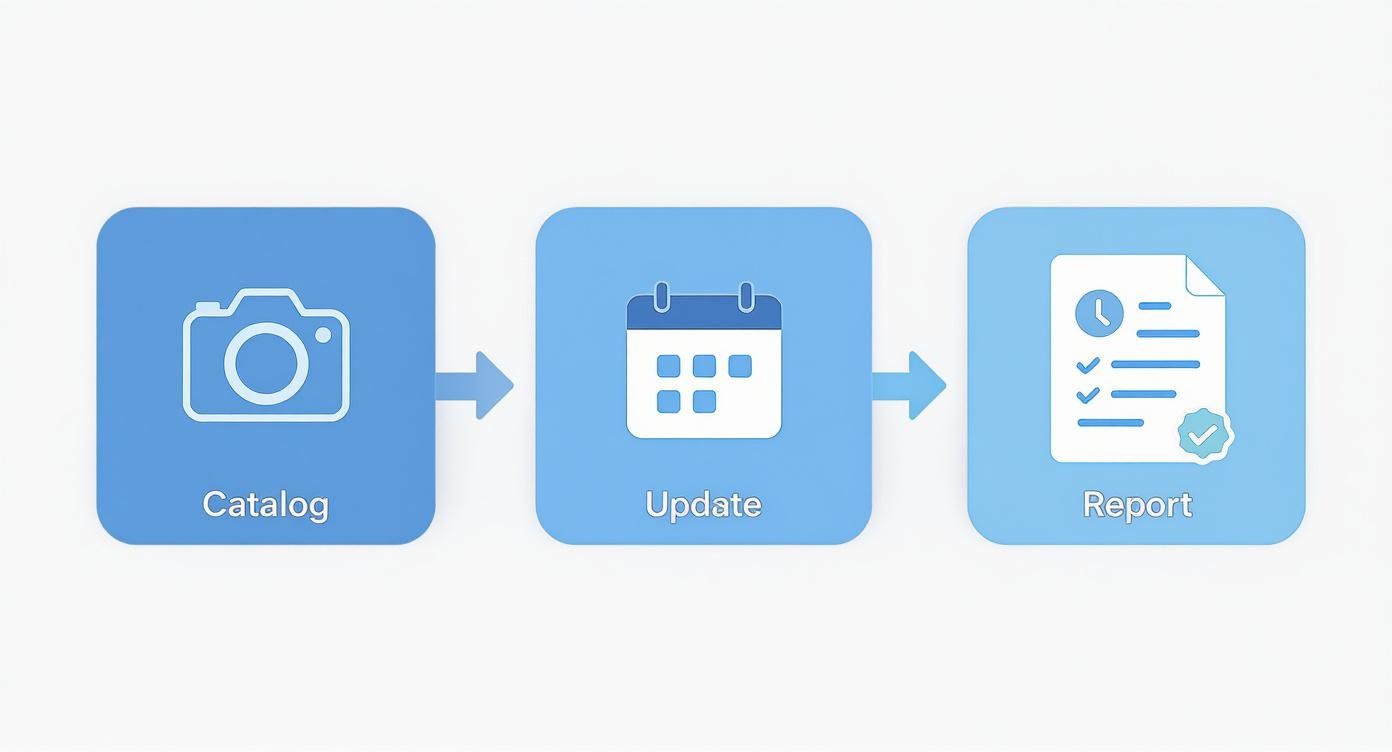
A good inventory isn't just a list; it's a continuous cycle of cataloging what you have, updating it as things change, and having it ready when you need it.
How Long Will It Actually Take to Inventory My Home?
Let’s be honest: the time this takes depends entirely on the size of your home and how much stuff you’ve collected over the years. A one-bedroom apartment might be a Saturday afternoon project. A four-bedroom house packed with memories? That could easily be a full weekend or more.
But here’s the secret: don't try to do it all at once. The "30-minute weekend blitz" is a game-changer. Just commit to 30 minutes each Saturday and Sunday. Pick one small, manageable spot—a single closet, one bookshelf, or just the junk drawer.
By breaking the elephant into bite-sized pieces, you'll make steady progress without ever feeling overwhelmed. Before you know it, the whole house will be done, and you won’t have sacrificed an entire weekend to do it.
More guides in Estate Sale Basics
July 28, 2026
Revenue Reporting for Estate Sales and Auctions
Learn revenue reporting essentials for estate sales and auctions. Discover key metrics, templates, and best practices to simplify tracking and compliance.
Read guideJuly 26, 2026
Stamp Collection Valuation: A Practical Step-by-Step Guide
Stamp collection valuation made simple. Learn how to identify, grade, price, and sell your stamps with confidence for estate sales or consignment.
Read guideJuly 23, 2026
Estate Sales Brick NJ: Your 2026 Guide to Success
Planning your estate sales brick nj? Our guide covers permits, pricing, marketing, & running a safe sale with DIYAuctions.
Read guideGet the estate sale pricing guide
Enter your email for pricing ranges, planning notes, and a clearer path to launch.